
هذا المحتوى غير متوفر بلغتك بعد.
Asset Status Reasons
Section titled “Asset Status Reasons”About Asset Status Reasons
Section titled “About Asset Status Reasons”Asset Status Reasons explain why an asset is in its current operational state. For example, an asset may be On Hold, while the reason specifies Inspection Pending or Awaiting Approval. These values improve reliability reporting, audit clarity, and maintenance decision-making.
Asset Status Reasons List (+)
Section titled “Asset Status Reasons List (+)”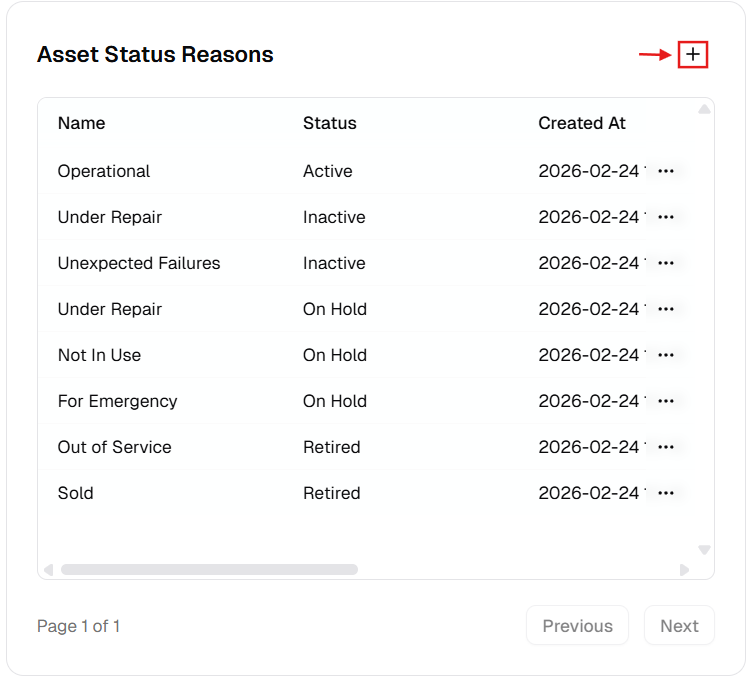
New Status Reason Dialog
Section titled “New Status Reason Dialog”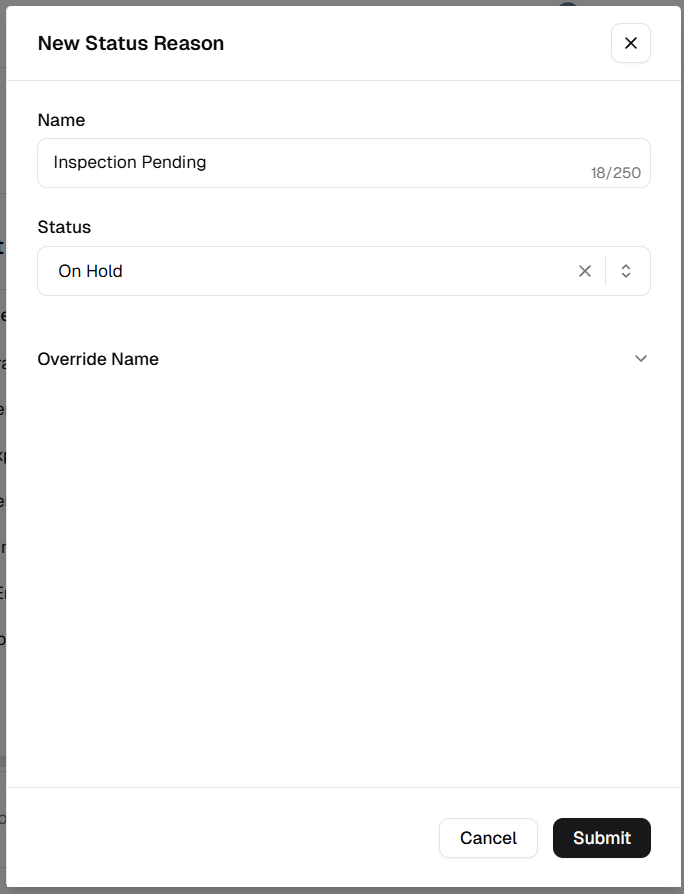
How to manage Asset Status Reasons
Section titled “How to manage Asset Status Reasons”Add a new reason
Section titled “Add a new reason”- Open Admin Portal → Settings → Reference Data.
- Find Asset Status Reasons and click +.
- Complete the form:
| Field | Description | Required |
|---|---|---|
| Name | Primary identifier (e.g. “Awaiting Parts”). | Yes |
| Status | Parent status (e.g. Active, Inactive, On Hold, Retired). | Yes |
| Override Name | Translation for users with other language preferences. | No |
- Click Submit.
Update an existing reason
Section titled “Update an existing reason”- More (⋯) on the row → Edit.
- Change Name, Override Name, or Status.
- Click Update.
Delete a reason
Section titled “Delete a reason”- More (⋯) → Delete.
- Safeguard: Deletion is blocked if the reason is assigned to any asset.
Verification after changes
Section titled “Verification after changes”After creating, editing, or deleting a reason:
- Confirm the Asset Status Reasons table reflects the update.
- Verify the reason appears under the correct Status category.
- Open an asset update form and check the reason is available when selecting that status.