
هذا المحتوى غير متوفر بلغتك بعد.
Operational Permissions
Section titled “Operational Permissions”About Operational Permissions
Section titled “About Operational Permissions”Operational Permissions are the tenant-wide rulebook for UniCMMS. Roles decide who can open a feature; these settings decide how that feature behaves for everyone—audit strictness, inventory discipline, and work order flexibility.
Toggles here affect all sites and users in the tenant unless your product narrows scope elsewhere.
Screenshots
Section titled “Screenshots”Operational Permissions Tab (Overview)
Section titled “Operational Permissions Tab (Overview)”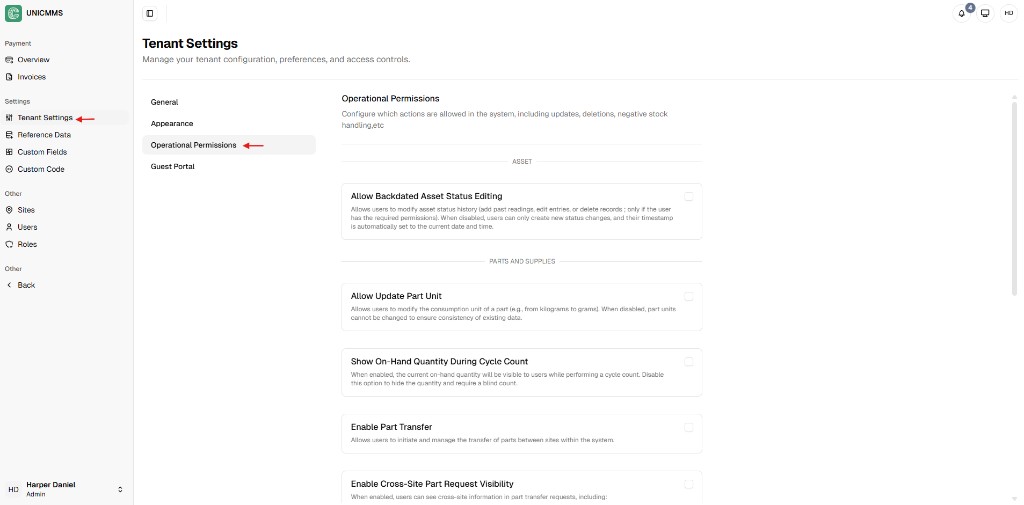
Asset Permission
Section titled “Asset Permission”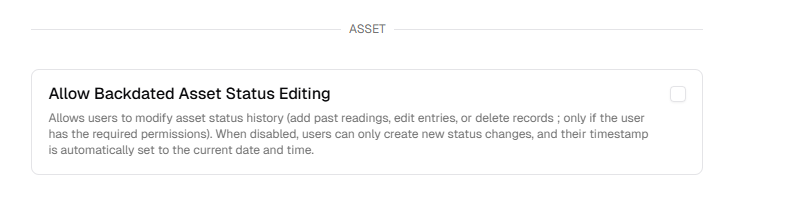
Parts and Supplies Permissions
Section titled “Parts and Supplies Permissions”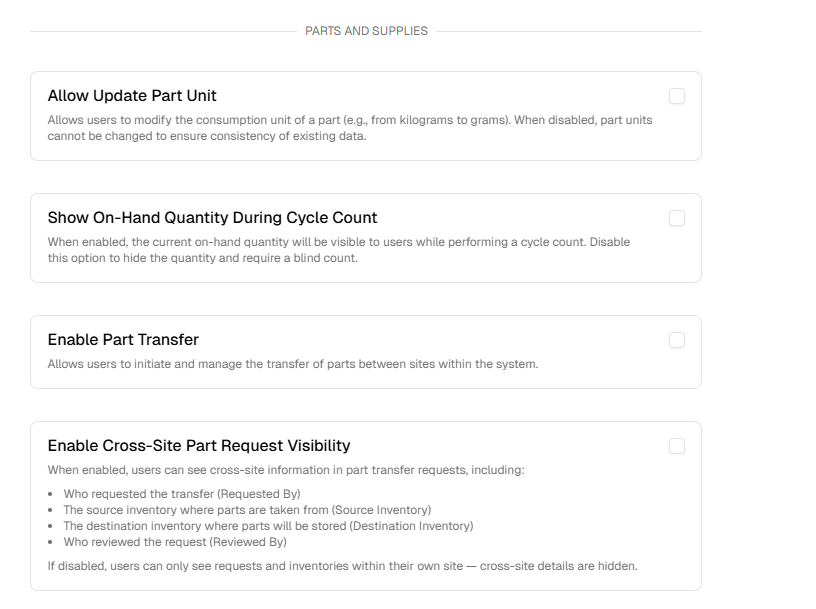
Meter Permissions
Section titled “Meter Permissions”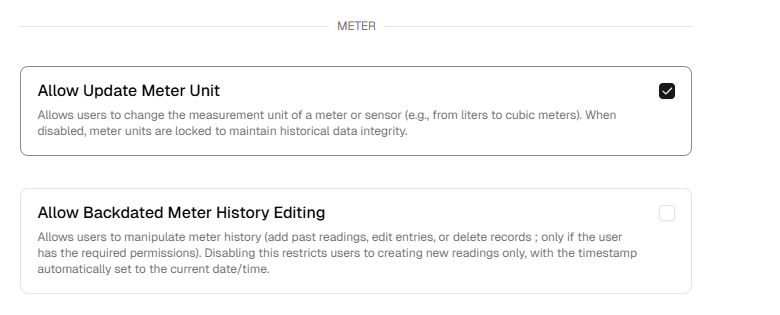
Work Order Permissions
Section titled “Work Order Permissions”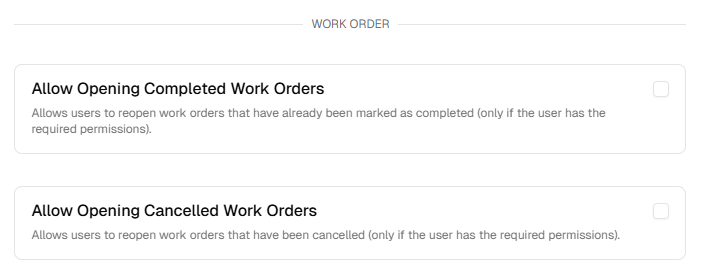
Update Button
Section titled “Update Button”
How to configure system rules
Section titled “How to configure system rules”Step 1: Navigate to Operational Permissions
Section titled “Step 1: Navigate to Operational Permissions”- Open Admin Portal from the main sidebar (Other).
- Select Tenant Settings under Settings.
- Open the Operational Permissions tab.
Step 2: Review and set rule parameters
Section titled “Step 2: Review and set rule parameters”Enable or disable behaviors with the checkboxes in each category.
Asset and meter logic
Section titled “Asset and meter logic”- Allow Backdated Asset Status Editing — When enabled, users can add past readings or edit historical status entries. When disabled, only real-time status changes are allowed.
- Allow Update Meter Unit — Allows changing meter units (e.g. litres to gallons). Disabling helps keep historical readings comparable.
- Allow Backdated Meter History Editing — Controls whether past meter readings can be edited for corrections.
Parts and supplies logic
Section titled “Parts and supplies logic”- Allow Update Part Unit — Allows changing a part’s unit of measure (e.g. kg to g).
- Show On-Hand Quantity During Cycle Count — When disabled, counters perform a blind count (they do not see system on-hand), which can improve audit accuracy.
- Enable Part Transfer — Allows moving inventory between physical sites.
- Enable Cross-Site Part Request Visibility — When enabled, users can see transfer request context across sites (who requested, source inventory, etc.).
Work order logic
Section titled “Work order logic”- Allow Opening Completed Work Orders — Allows reopening Completed work orders to add missing information (where your roles permit).
- Allow Opening Cancelled Work Orders — Allows restoring Cancelled work orders into an active queue.
Step 3: Save rules
Section titled “Step 3: Save rules”Click Update at the bottom of the page. Changes take effect immediately for all users.
Step 4: Verify behavior after update
Section titled “Step 4: Verify behavior after update”After clicking Update:
- Confirm your selected toggles remain saved when you reopen the tab.
- Test one workflow per category (asset, part, meter, work order) using a controlled record.
- Ensure role permissions still align with expected capabilities, since roles and operational rules work together.