
هذا المحتوى غير متوفر بلغتك بعد.
Charge Departments
Section titled “Charge Departments”About Charge Departments
Section titled “About Charge Departments”Charge Departments identify which internal unit owns a maintenance cost (for example Operations, Safety, Engineering, or Facilities). A Budget Account defines what type of spend, while a Charge Department defines who is charged. This is essential for internal cost allocation and departmental reporting.
Charge Departments List (+)
Section titled “Charge Departments List (+)”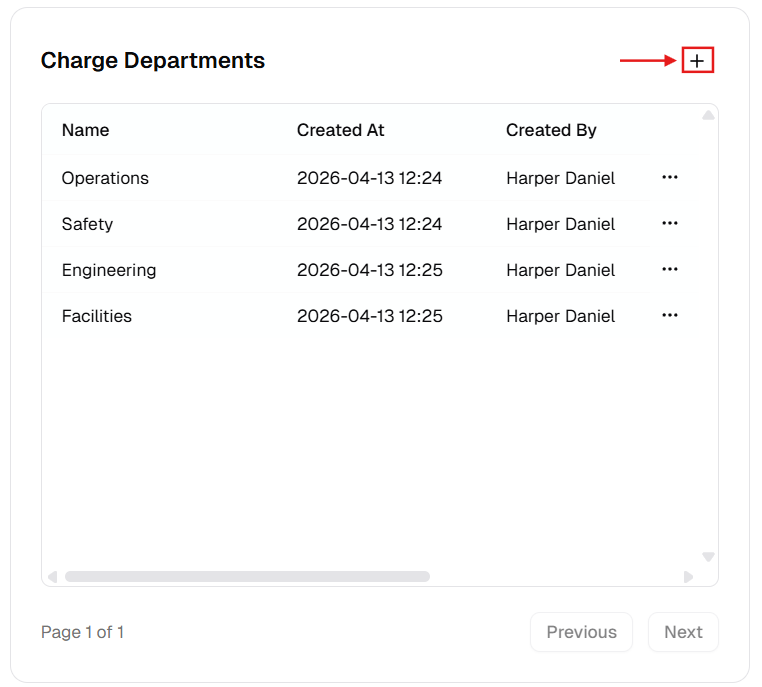
New Charge Department Dialog
Section titled “New Charge Department Dialog”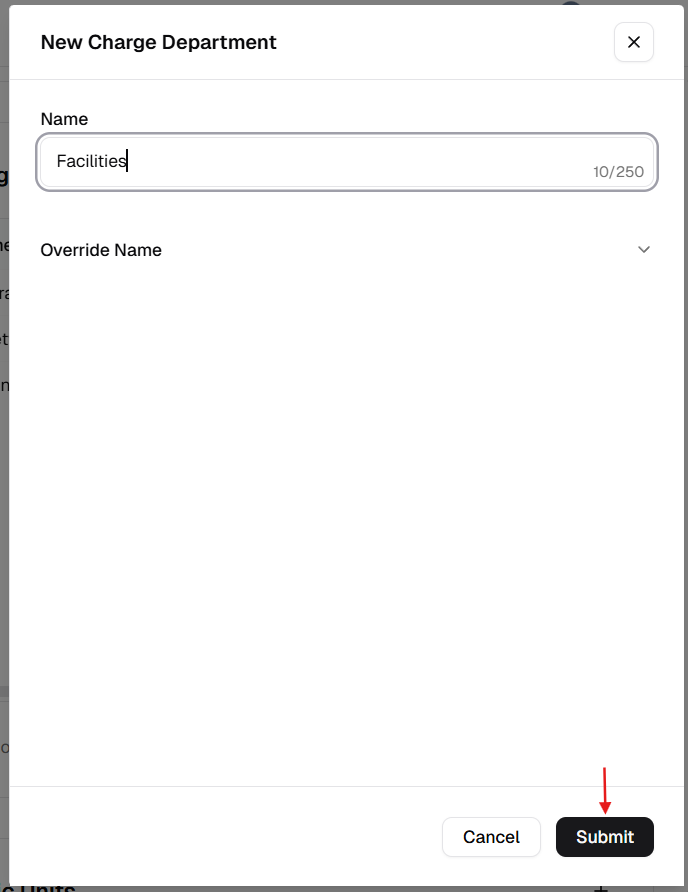
How to manage Charge Departments
Section titled “How to manage Charge Departments”Add a new charge department
Section titled “Add a new charge department”- Open Admin Portal → Settings → Reference Data.
- Find Charge Departments and click +.
- Complete the form:
| Field | Description | Required |
|---|---|---|
| Name | Department name or ID (e.g. “Operations-01”). | Yes |
| Override Name | Translated label. | No |
- Click Submit.
Update an existing department
Section titled “Update an existing department”- More (⋯) → Edit.
- Update Name or Override Name.
- Click Update.
Delete a charge department
Section titled “Delete a charge department”- More (⋯) → Delete.
- Safeguard: Deletion is blocked if linked to any asset, work order, or purchase order.
Verification after changes
Section titled “Verification after changes”After creating, editing, or deleting a department:
- Confirm the Charge Departments table updates correctly.
- Verify the naming follows your internal reporting standards.
- Open Work Order or Purchase Order forms and confirm updated department values are selectable.