
Dieser Inhalt ist noch nicht in deiner Sprache verfügbar.
Maintenance Types
Section titled “Maintenance Types”About Maintenance Types
Section titled “About Maintenance Types”Maintenance Types classify the nature of work recorded on Work Orders (for example Safety, Emergency, Inspection, or Upgrade). These categories directly support planned vs. unplanned analysis, reliability trends, and maintenance performance KPIs.
Maintenance Types List (+)
Section titled “Maintenance Types List (+)”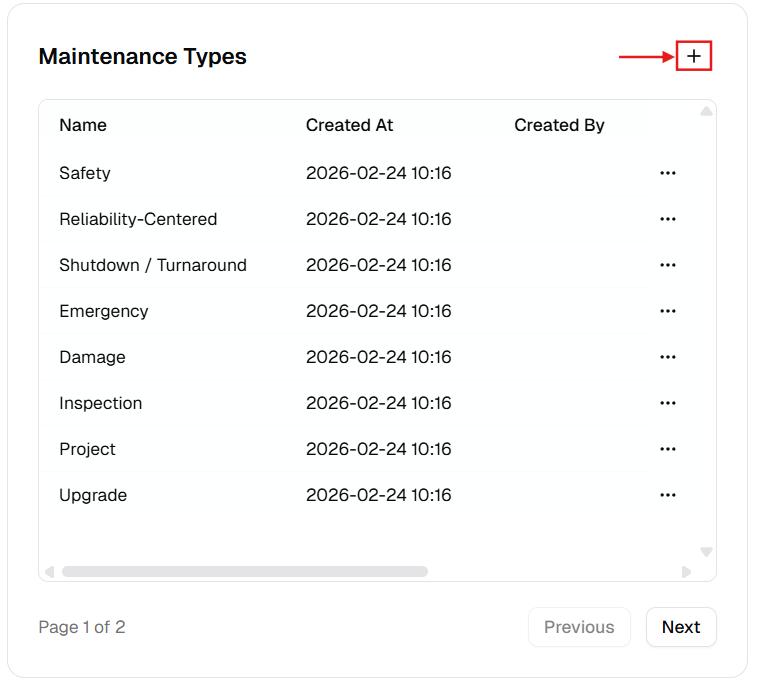
New Maintenance Category Dialog
Section titled “New Maintenance Category Dialog”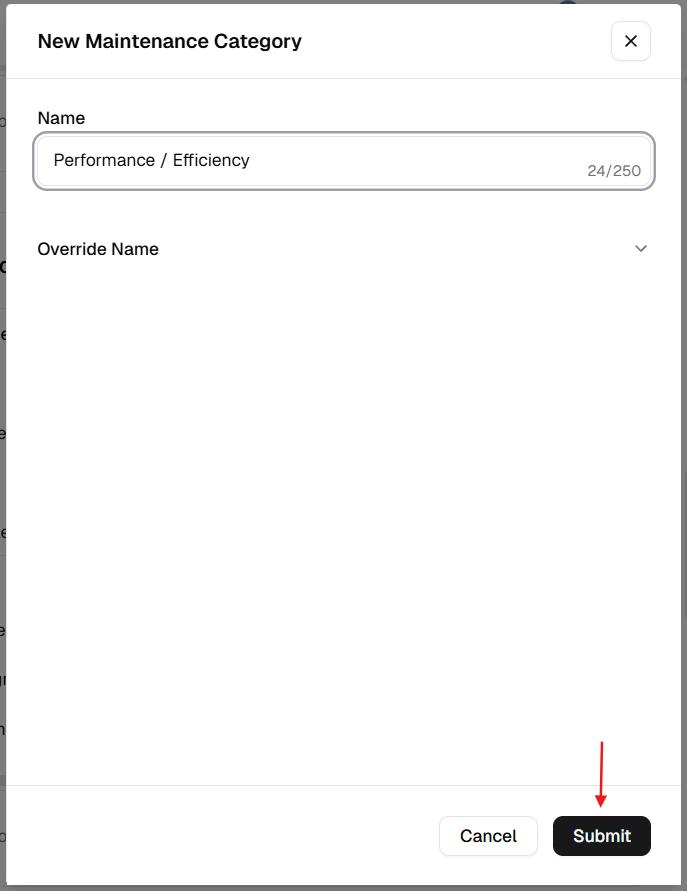
How to manage Maintenance Types
Section titled “How to manage Maintenance Types”Add a new maintenance type
Section titled “Add a new maintenance type”- Open Admin Portal → Settings → Reference Data.
- Find Maintenance Types and click +.
- Complete the form:
| Field | Description | Required |
|---|---|---|
| Name | Work category label (e.g. “Inspection”). | Yes |
| Override Name | Translated label. | No |
- Click Submit.
Update an existing maintenance type
Section titled “Update an existing maintenance type”- More (⋯) → Edit.
- Update Name or Override Name.
- Click Update.
Delete a maintenance type
Section titled “Delete a maintenance type”- More (⋯) → Delete.
- Safeguard: Deletion is blocked if the type is linked to any active or historical work order.
Verification after changes
Section titled “Verification after changes”After creating, editing, or deleting a maintenance type:
- Confirm the Maintenance Types table shows the updated records.
- Verify naming consistency and remove near-duplicate categories.
- Open a Work Order form and confirm the updated maintenance type options are selectable.