
Esta página aún no está disponible en tu idioma.
Asset Types
Section titled “Asset Types”About Asset Types
Section titled “About Asset Types”Asset Types are high-level classifications for physical equipment (for example HVAC, Production, or Logistics). They support faster filtering, clearer KPI reporting, and better maintenance strategy planning across your asset portfolio.
Asset Types List (+)
Section titled “Asset Types List (+)”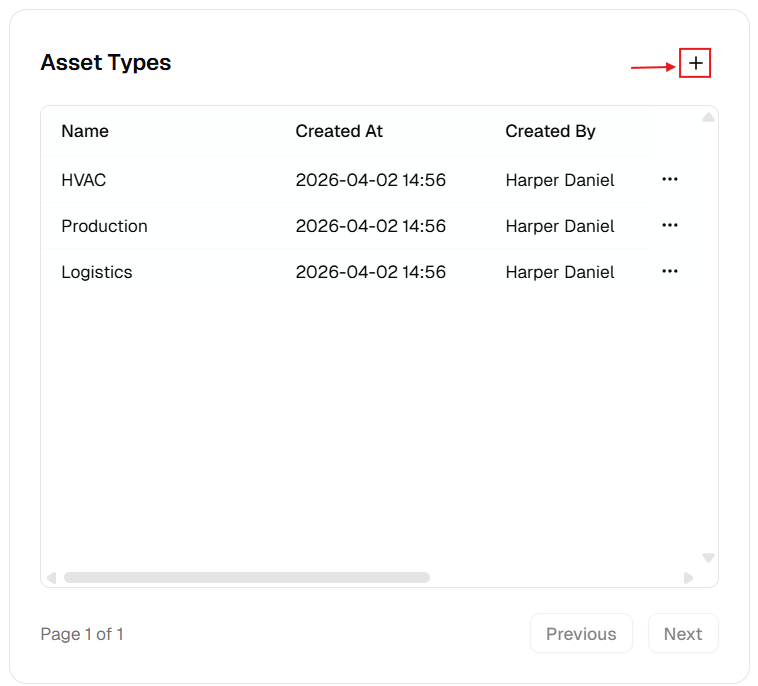
New Asset Type Dialog
Section titled “New Asset Type Dialog”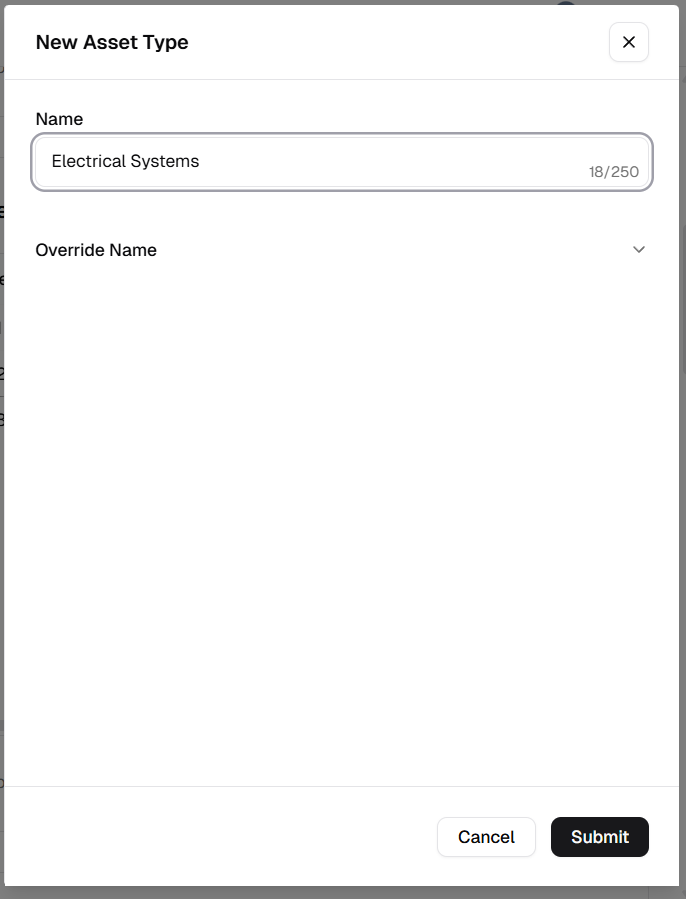
How to manage Asset Types
Section titled “How to manage Asset Types”Add a new asset type
Section titled “Add a new asset type”- Open Admin Portal → Settings → Reference Data.
- Find Asset Types and click +.
- Complete the form:
| Field | Description | Required |
|---|---|---|
| Name | Category name (e.g. “Electrical Panels”). | Yes |
| Override Name | Translated label for other languages. | No |
- Click Submit.
Update an existing asset type
Section titled “Update an existing asset type”- More (⋯) → Edit.
- Update Name or Override Name.
- Click Update.
Delete an asset type
Section titled “Delete an asset type”- More (⋯) → Delete.
- Safeguard: You cannot delete a type still assigned to any asset. Reassign assets first.
Verification after changes
Section titled “Verification after changes”After creating, editing, or deleting a type:
- Confirm the Asset Types table updates with the latest values.
- Verify naming consistency (avoid duplicate labels with minor spelling differences).
- Open an asset form and confirm the updated type options are available in selection fields.