Esta página aún no está disponible en tu idioma.
Add a role
Section titled “Add a role”A role is a named bundle of permissions. You add roles under Admin Portal → Other → Roles. When you add or change a user, you pick which role they use.
Open Roles
Section titled “Open Roles”- Sign in to Admin Portal.
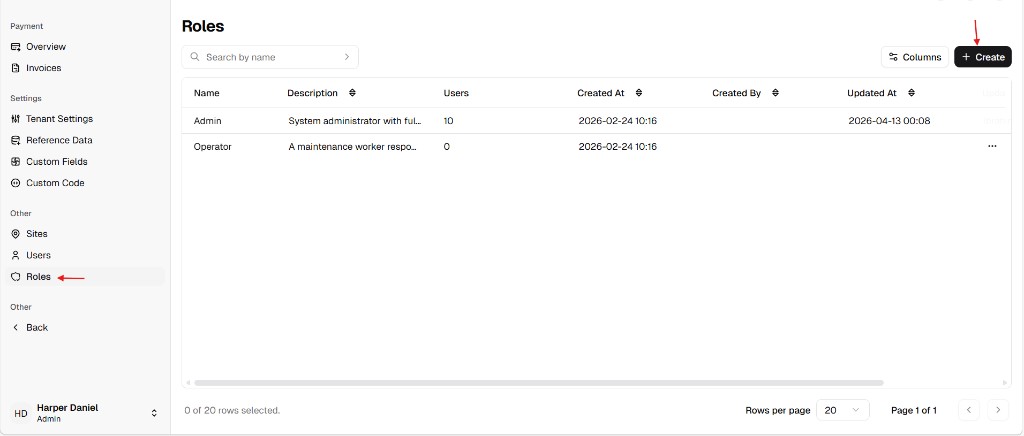
- In the sidebar, under Other, choose Roles.
You see a table of existing roles with Name, Description, and Users (how many people use that role). Use Search by name if the list is long.
Start a new role
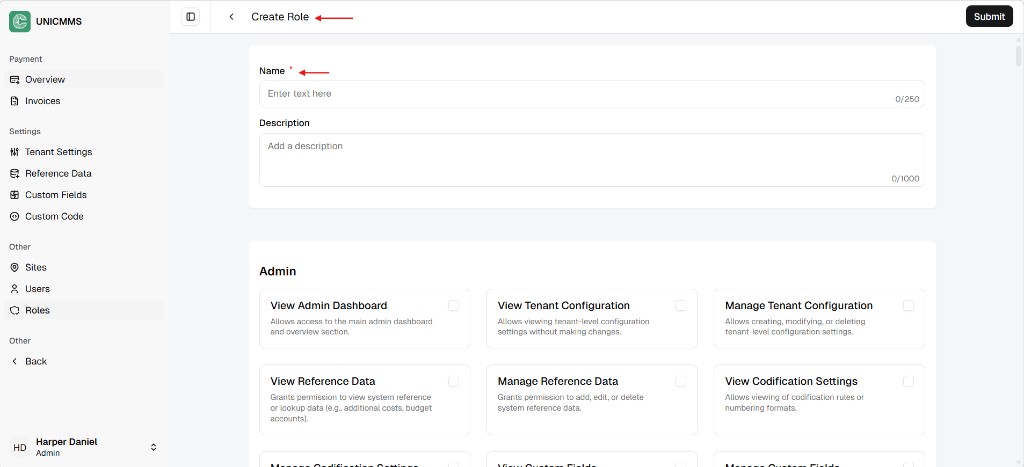
Section titled “Start a new role”- Click + Create.
- Enter Name * (required). You can add an optional Description to help other admins understand what the role is for. See Role identification for field limits.
- Scroll through each permission group (for example Admin) and turn on only what this job needs. Details for each checkbox are in the permission reference.
- Click Submit.
New roles start with no permissions until you select them—so you only open the areas people really need.