
Esta página aún no está disponible en tu idioma.
Remove a role
Section titled “Remove a role”You may remove a role that was only used for a project, or after you have moved everyone to a different role.
Start removal
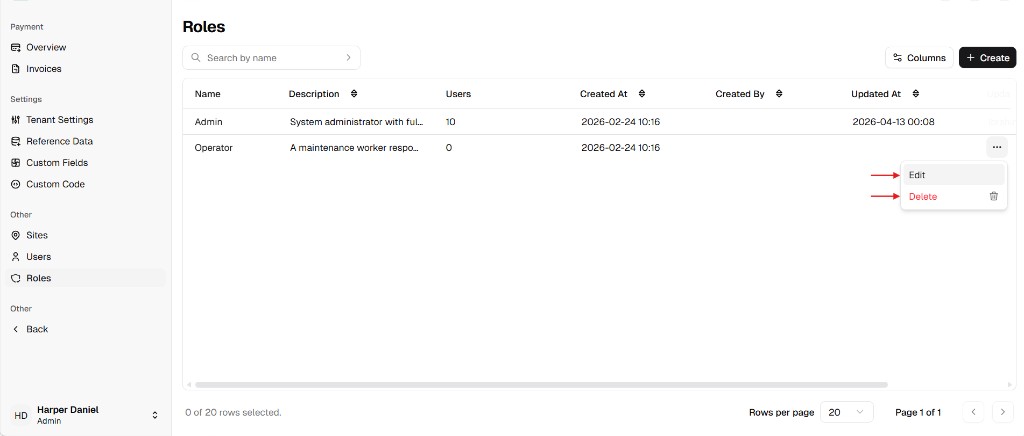
Section titled “Start removal”- Go to Admin Portal → Other → Roles.
- Find the role. Open the ⋯ menu on the row and choose Delete.
Confirm
Section titled “Confirm”Read the Confirm Deletion message (it names the role). Choose Delete to remove it, or Cancel to keep it.
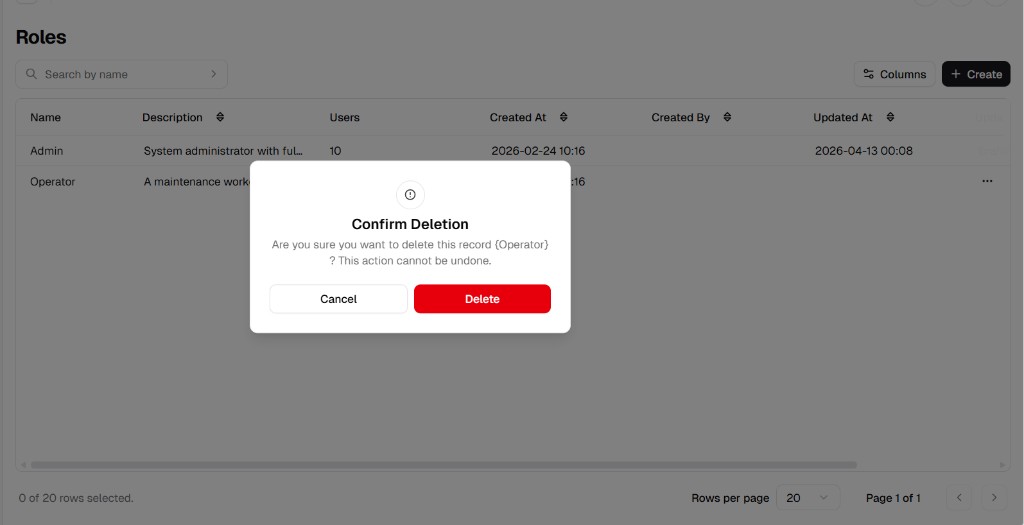
If Users is greater than zero for that role, the product will not complete the removal until those assignments are cleared—assigning a role to people in day-to-day work is normal; the restriction applies only when you try to remove the role while it is still in use.