
How to Allow Backdated Meter History Editing
Section intitulée « How to Allow Backdated Meter History Editing »By default, UniCMMS treats the History tab on a meter as a read-only log: past readings are listed for traceability, but there are no row actions to change or remove them. New readings you add from Reading always use the current date and time.
Some organizations need to correct mistakes, capture readings that happened in the past, or remove bad rows. For that, a tenant administrator can turn on Allow Backdated Meter History Editing under Tenant Settings. Users must still have the right profile / role permissions (for example permission to edit meter readings) before Edit or Delete appear.
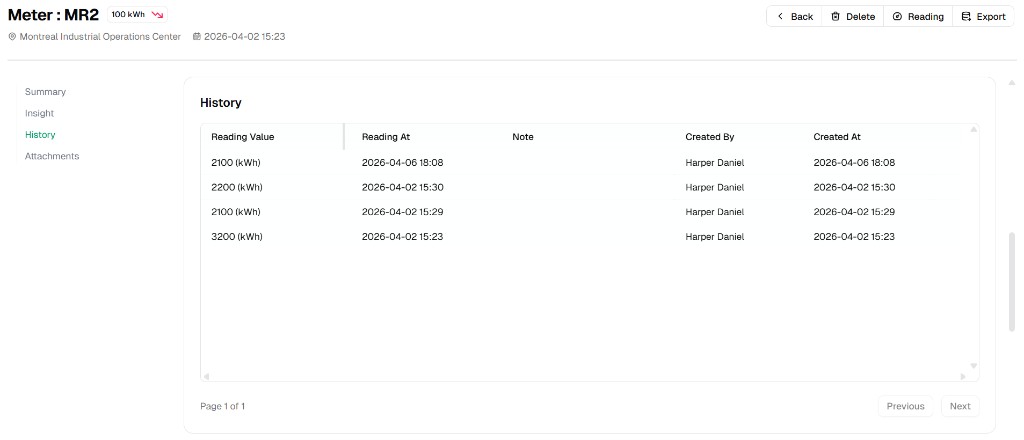
History when backdated editing is off (typical default)
Section intitulée « History when backdated editing is off (typical default) »Open Maintenance → Meters → choose a meter → tab History. The table shows Reading Value, Reading At, Note, Created By, and Created At — without an actions column you can use to change old rows.
History when backdated editing is allowed
Section intitulée « History when backdated editing is allowed »After the tenant option is enabled and your user is allowed to edit readings, each history row can show More (⋯) with Edit and Delete.
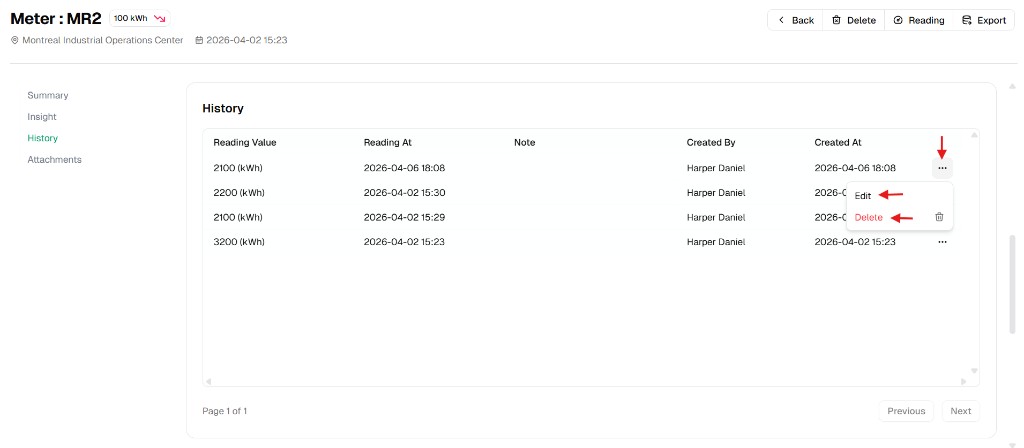
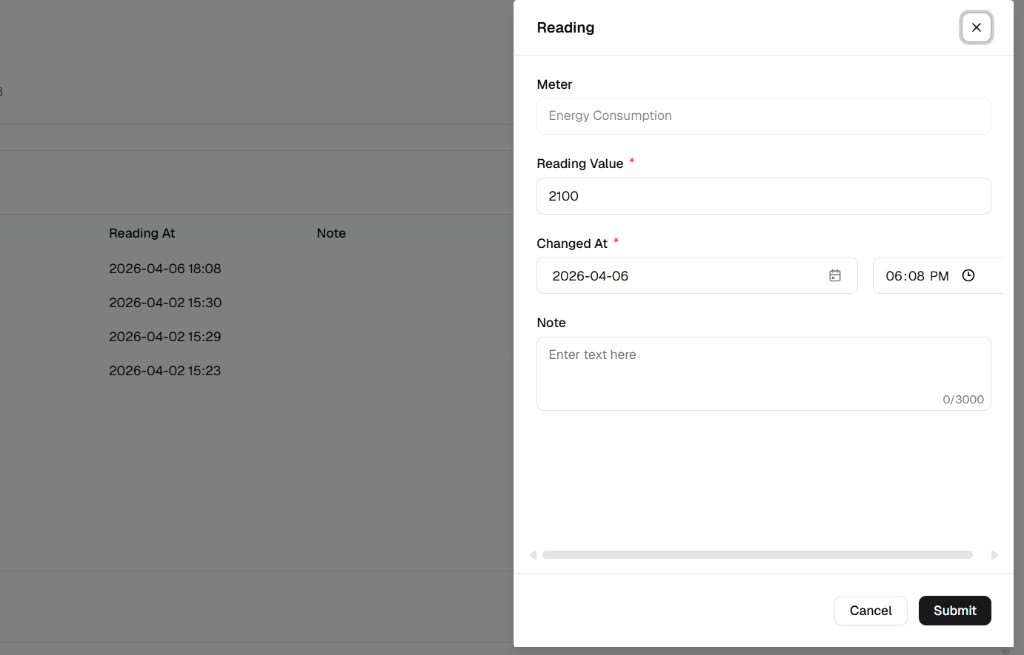
Edit opens the Reading dialog. You can adjust Reading Value, Note, and — when the feature is on — Changed At (date and time) so the corrected entry reflects when the reading actually applied.
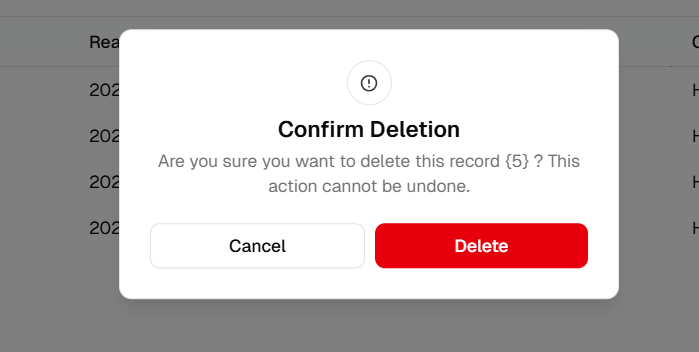
Delete asks for confirmation; removing a row is permanent.
Enable the option for your tenant (Admin Portal)
Section intitulée « Enable the option for your tenant (Admin Portal) »Only users who can open the Admin Portal and change Tenant Settings should perform these steps.
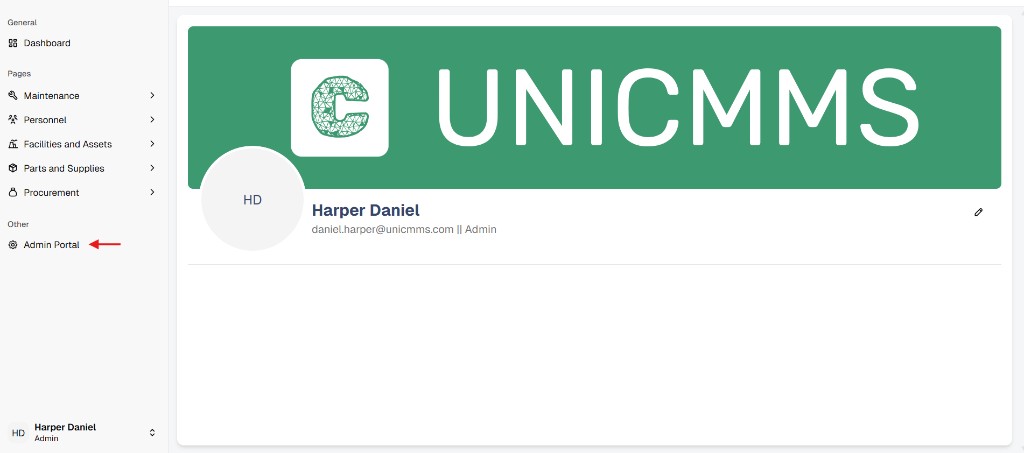
- In the main app sidebar, open Admin Portal.
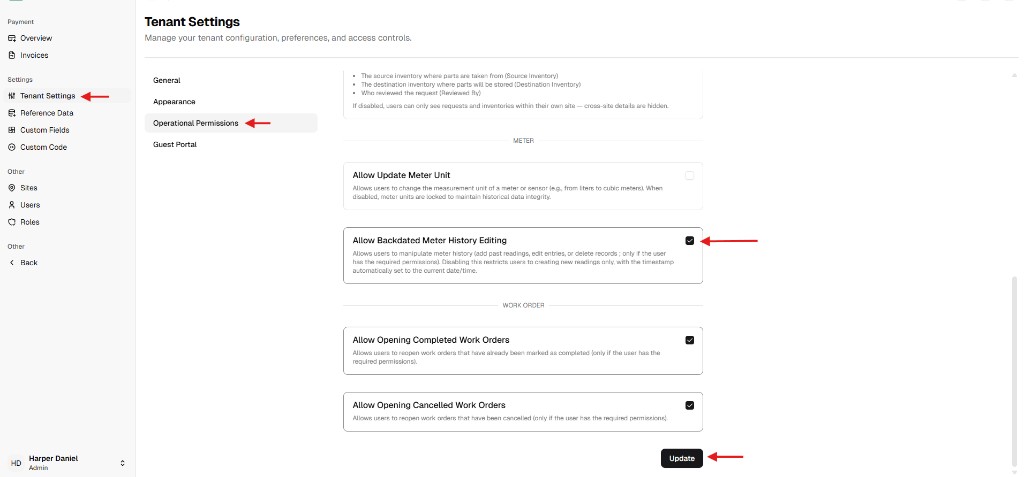
- Go to Tenant Settings → tab Operational Permissions.
- Under METER, enable Allow Backdated Meter History Editing.
The on-screen description explains that this allows users (with the right permissions) to manipulate meter history — add past readings, edit entries, or delete records. When it is off, users can only create new readings with the timestamp set to now. - Click Update to save.
User access
Section intitulée « User access »Even with the tenant flag on, a user only sees Edit / Delete if their role includes the necessary permissions (this page assumes access similar to edit meter reading). If the History table still looks read-only, check both Tenant Settings and the user’s Admin Portal role / permission set.