
Ce contenu n’est pas encore disponible dans votre langue.
How to Edit a Request for Quotation (RFQ)
Section titled “How to Edit a Request for Quotation (RFQ)”Editing lets you refine General identity, supplier contact fields, product lines, shipping logistics, and quote submission rules before the RFQ is locked for bidding. The editor reuses the same five-section layout as creating an RFQ—use that guide for field-level detail and character limits.
Step 1 — Open Edit from the list
Section titled “Step 1 — Open Edit from the list”- Go to Procurement → Requests for Quotation.
- Find the row (use Search by name, Filters, or Columns if the list is long).
- Click ⋯ in the row’s actions column.
- Choose Edit.
The row menu often includes other actions besides Edit—for example Duplicate, Derive RFQ, Approve, and Delete. Those follow different workflows; this page covers Edit only.
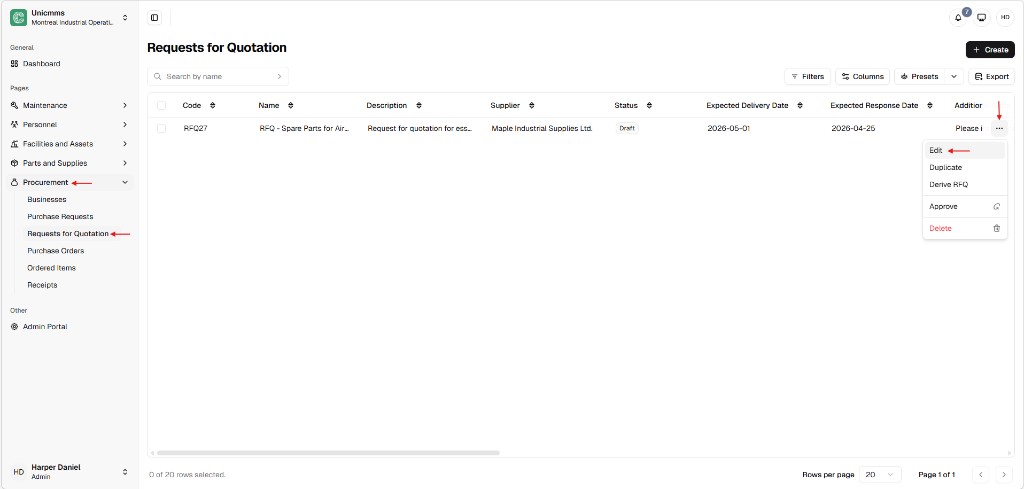
Step 2 — Change fields on the form
Section titled “Step 2 — Change fields on the form”After Edit opens, use Cancel to leave without saving changes, or Submit (top-right) to save your updates.
The upper part of the screen typically shows General, Supplier information, and the start of Products.
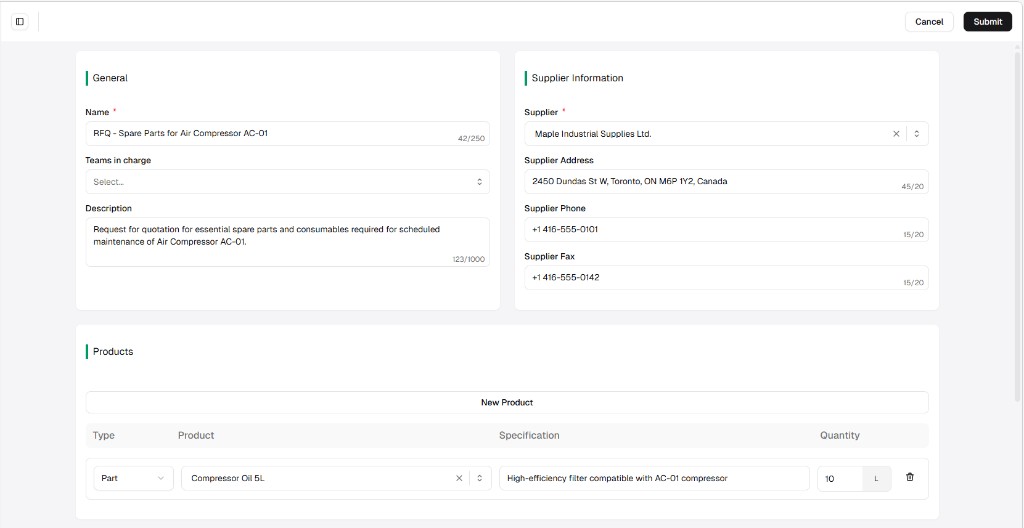
Scroll to finish Products, then Shipping information and Quote submission instructions.
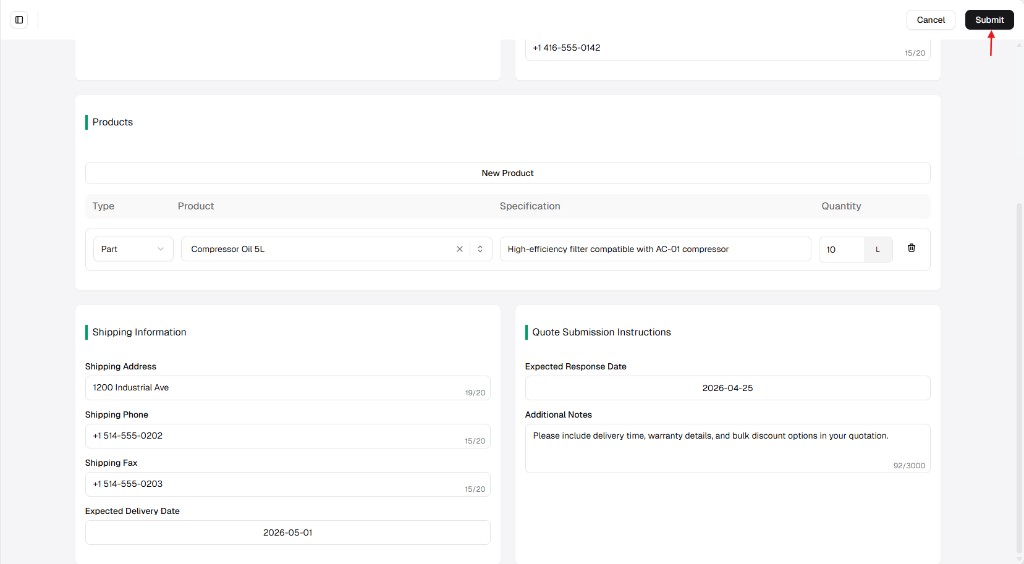
Typical updates
Section titled “Typical updates”| Area | What you might change |
|---|---|
| General | Name, Teams in charge, Description. |
| Supplier information | Supplier selection; address / phone / fax (often prefilled from Businesses—still editable). |
| Products | Add lines with New product, change Type / Product / Specification / Quantity + unit, remove lines with trash. |
| Shipping | Shipping address, phone, fax, Expected delivery date. |
| Quote submission | Expected response date, Additional notes for the vendor. |
Status restriction
Section titled “Status restriction”| Situation | Typical behavior |
|---|---|
| Draft | Full edit and Submit are usually allowed (as with RFQ27 in Draft in the example list). |
| Sent / validated / approved / closed | Editing is limited or blocked so supplier-facing history and audit trails stay reliable. |